MiComs
Central Office Management Hub
The nerve center for district nutrition directors. Manage menus, students, campuses, claims, and finances — all in one place. One screen replaces five spreadsheets.
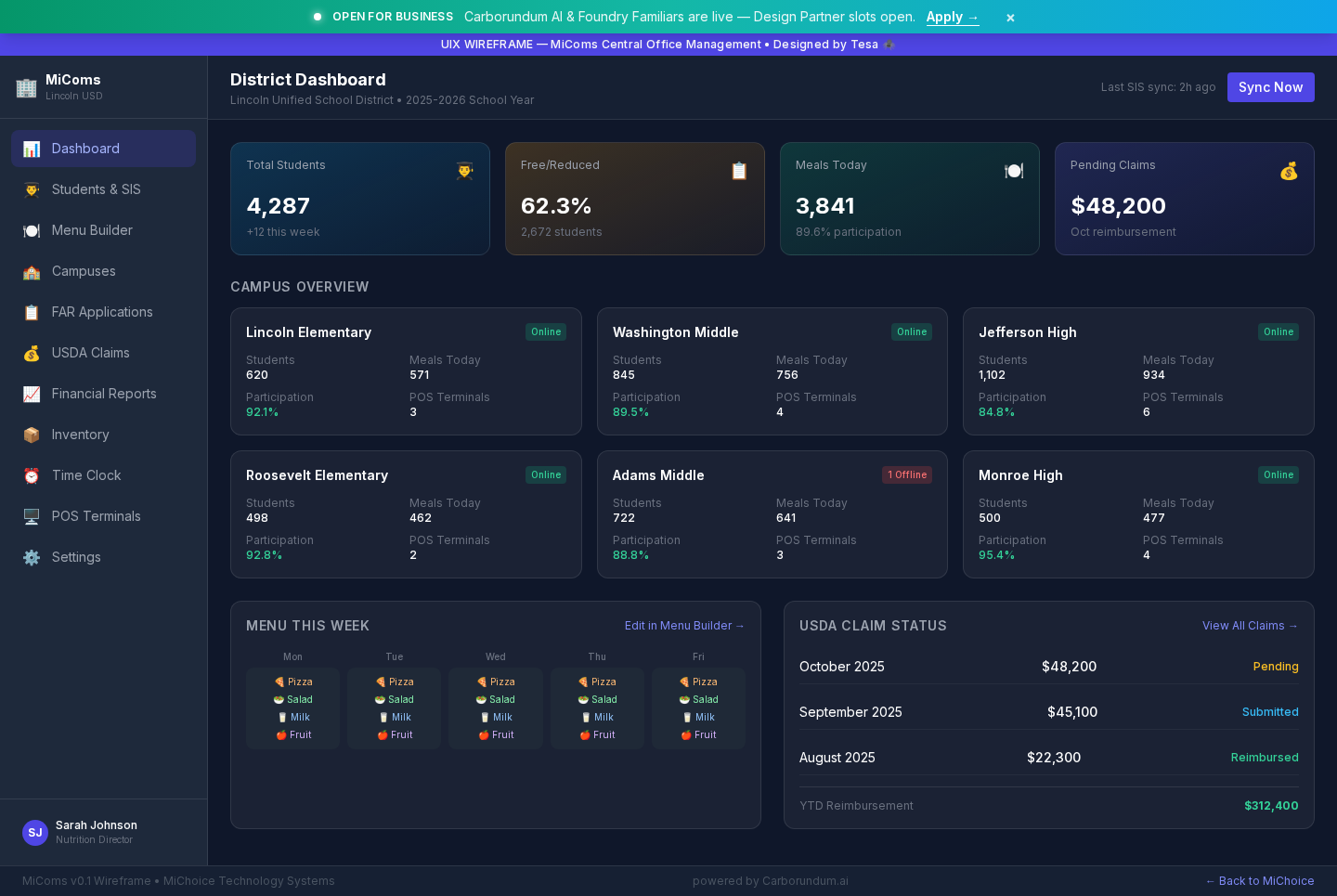
MiComs Central Office — UIX wireframe screenshot
Getting Started
From district setup to your first USDA claim in 5 steps.
District Configuration
IT sets up your district profile — campuses, school calendar, staff roles, and meal program types (NSLP, SBP).
Import Student Data
Bulk-import student records from your SIS (Student Information System). MiComs maps fields automatically.
Build Your Menus
Create menus in MiMenus, then push them to specific campuses or the entire district from the MiComs dashboard.
Configure POS Terminals
Assign menus to each campus's MiMeals terminal. Set meal periods, pricing tiers, and serving windows.
Generate USDA Claims
At month-end, click "Generate Claim." MiComs assembles meal counts, edits, and reimbursement data into a claim-ready file.
Key Features
Everything a nutrition director needs in one dashboard.
Multi-Campus Management
Manage all schools in your district from one dashboard. Push menu changes to specific campuses or district-wide.
SIS Integration
Import and sync student records from your existing Student Information System. Auto-match and dedup.
USDA Claim Generation
One-click claim file generation. Every meal, every edit, every transaction — timestamped and audit-ready.
Financial Reports
Revenue by campus, meal type, and period. Compare to budget. Export to your district's accounting system.
Role-Based Access
Nutrition directors see everything. Site managers see their campus. Cashiers see only the POS. Nobody sees what they shouldn't.
FAR Application Oversight
Review submitted Free & Reduced applications from MiFarApps. Approve, deny, or request additional info.