MiTimes
Employee Time Clock & Labor
Staff clock-in/out, labor cost allocation by campus, overtime tracking, and schedule management. Payroll-ready data without double entry.
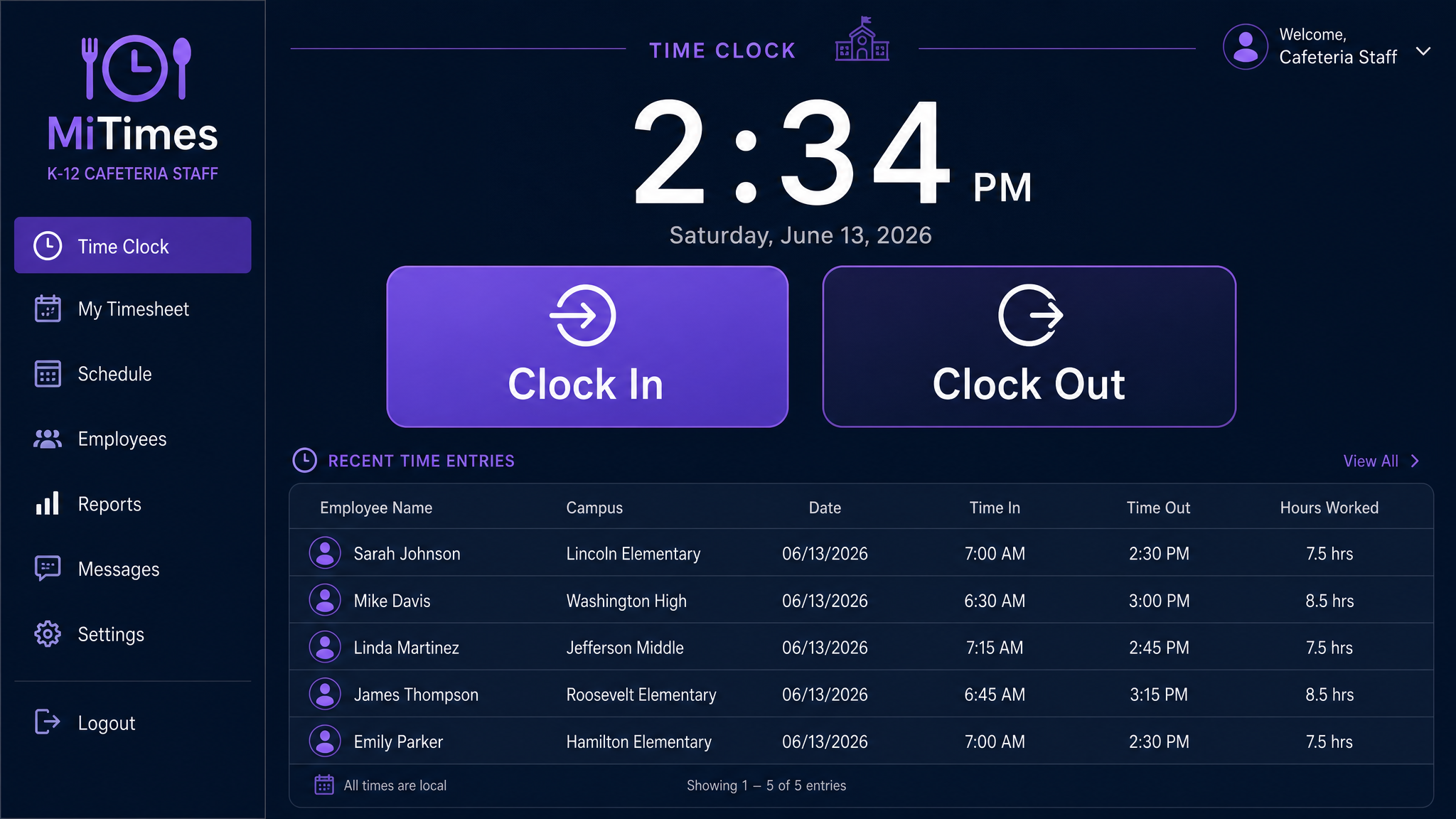
MiTimes Time Clock — UI mockup
Getting Started
From setup to payroll-ready in 5 steps.
Add Employees
HR or the site manager enters staff profiles — name, role, campus assignment, pay rate, and clock-in PIN.
Set Schedules
Define shift templates per campus. Morning prep crew, lunch service, afternoon cleanup — each with expected hours.
Staff Clocks In
Employees punch their PIN on any MiTimes terminal, tablet, or phone. GPS-tagged if on mobile.
Track Hours Live
Managers see who's clocked in right now, who's late, and who's approaching overtime — in real time.
Export to Payroll
At pay period end, export hours by employee and campus. Integrates with common payroll systems.
Key Features
Time tracking built for school food service.
One-Tap Clock In/Out
PIN-based. No buddy punching — each PIN is unique. Timestamps are tamper-proof and audit-logged.
Campus-Level Labor Costs
See labor costs per campus, per meal period. Know exactly how much the lunch shift costs at Lincoln Elementary.
Overtime Alerts
Automatic notifications when an employee is approaching overtime. No surprises on the payroll report.
Schedule Management
Build and publish schedules. Staff see their upcoming shifts on their phone.
Mobile Clock-In
Staff working at satellite locations can clock in from their phone. GPS verification optional.
Feeds Into MiCharts
Labor hours flow into analytics for cost-per-meal calculations and budget vs. actual reporting.